
Digital marketing primarily focusing on website development and optimization using WordPress and Elementor. A significant portion of the text documents sessions dedicated to Search Engine Optimization (SEO) strategies, covering on-page techniques like keyword research and technical SEO, alongside off-page methods such as backlink building, profile creation, and article submission. Additionally,
Paid advertising campaigns across major platforms, including Google Ads (Search, Shopping, and Video networks), Meta Ads Manager (Facebook and Instagram), and LinkedIn advertising. The discussions consistently feature technical troubleshooting, tool implementation (like WooCommerce and conversion tracking), and strategic planning for digital marketing success
WordPress and Elementor for Core Design and Layout and Digital Marketing
WordPress serves as the Content Management System (CMS) used for website development. Elementor, installed and activated as a necessary plugin, functions as a powerful page builder tool for constructing the visual elements and structure of the site
Website Structure and Layout And Website Development
The website layout is generally discussed as consisting of four sections: the header, the body, the footer, and the sidebar. The body section typically constitutes 80% of the layout. Elementor is the primary tool used to create and design these pages and sections
Elementor Design Structure
Elementor implements a foundational three-layer structure essential for design
- Sections and Columns
- Elements
- Container Concept
Sections and Columns
Designers work with sections and columns to create layouts.
Elements
Within columns, different elements (such as images, text, and buttons) are edited and designed using the Elementor interface
Container Concept
The importance of understanding the container concept and utilizing features like flexbox for creating various layout styles is emphasized
Design Capabilities and Editing
Elementor facilitates hands-on practice and utilizes drag-and-drop functionality for design and editing. Users can make diverse design adjustments
- Layout Adjustments
- Element Editing
- Styling
Layout Adjustments
Creating full-width body sections and removing headers and footers.
Element Editing
Editing images, text, and backgrounds
Styling
Adjusting size, colors, borders, shadows, animations, and typography. Alignment and spacing adjustments are critical aspects of editing elements
Templates and Customization
Elementor allows designers to import pre-designed pages and sections. Starter templates, often used in conjunction with themes like the Astra theme, are implemented to redesign or quickly set up a website. Customization includes modifying headers and footers, adjusting menu configurations, and adding features like social media icons using templates.
Plugins for Comprehensive Functionality
Plugins act similarly to mobile applications, serving as tools to enhance website functionality based on specific requirements. While only essential plugins are recommended, various categories of plugins enable specific site features
- E-commerce Functionality (WooCommerce)
- Lead Generation and Communication
- Search Engine Optimization (SEO)
- Elementor Add-ons
E-commerce Functionality (WooCommerce)
The WooCommerce plugin is essential for setting up a WordPress e-commerce website. It allows for comprehensive online store management, including
- Product Management
- Financial Settings
- Transactions
Product Management
Creating simple and variable products, including setting product names, descriptions, unique identifiers (SKUs), and categorizing them (e.g., Menswear, Womenswear)
Financial Settings
onfiguring product pricing, stock management, and applying tax options like GST for regions like India and the US.
Transactions
Implementing shipping configurations (zones, classes, flat rates, free shipping), setting up payment gateways (UPI, Stripe, PayPal, cash on delivery), and creating and configuring coupons for discounts.
Lead Generation and Communication
Plugins are vital for capturing user information and facilitating interaction
- Contact Forms
- Live Chat/Chatbots
- Messaging Integration
Contact Forms
Tools like WP Forms are used to create simple contact forms, typically requiring fields for name, email, and phone number.
Live Chat/Chatbots
The TDO plugin can be used to implement live chat and chatbot systems, configuring chat flows for new visitors and automating responses for inquiries, such as course enrollment.
Messaging Integration
Plugins are used for WhatsApp integration, such as “Click to Chat” or “Pop Up Box” options
Search Engine Optimization (SEO)
Plugins help manage technical and on-page SEO factors
- SEO Optimization
- Technical Setup
- Website Reset
SEO Optimization
Plugins like Rank Math and All-in-One SEO Pack are installed to simplify optimization, track performance using features like the LEMNA score, and manage elements like meta titles and descriptions
Technical Setup
The HFCCM plugin (Header Footer Code Manager) can be installed to manage header and footer codes, essential for tasks like verifying website ownership through Google Search Console
Website Reset
The WP Reset plugin can be used to restore a website to its default state.

Elementor Add-ons
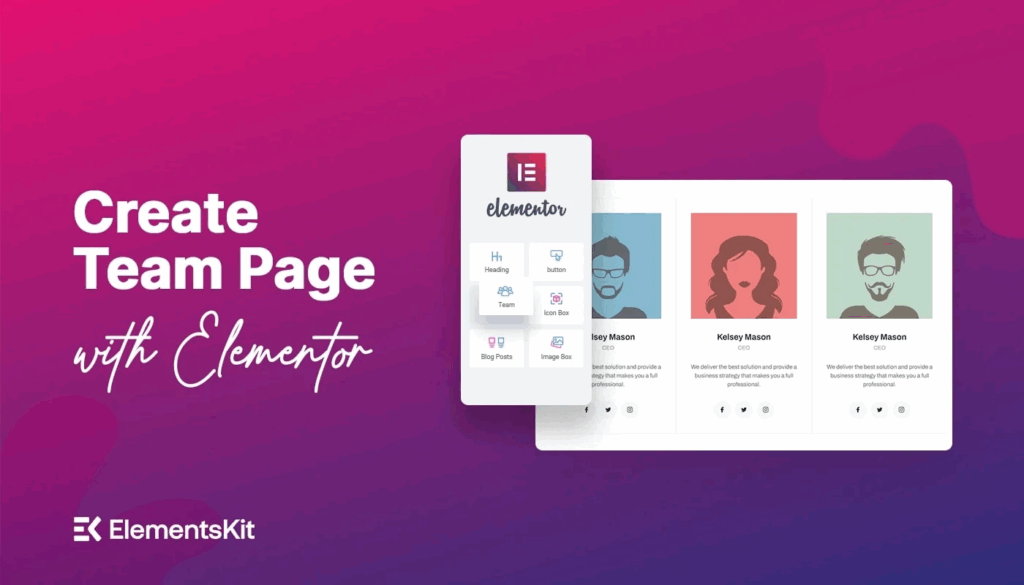
Add-ons such as Elements Kit enhance Elementor’s capabilities by offering additional features like accordions, icon boxes, and testimonials, allowing for further element customization.
Management and Maintenance
Effective website operation requires ongoing technical management using WordPress and its tools
- Plugin Management
- Troubleshooting
Plugin Management :
Proper procedures for plugin deactivation and installation are crucial
Troubleshooting :
Design sessions often conclude with discussions about resolving technical issues related to website functionality, including plugin management, theme changes, and issues with browser history or cookies (resolved by clearing the cache)
The combination of WordPress’s stable content management foundation, Elementor’s flexible visual page building, and the focused functionality provided by various plugins creates a versatile ecosystem. This process is akin to building a custom vehicle: WordPress is the chassis, Elementor is the specialized bodywork and interior layout allowing for visual configuration, and plugins are the high-tech accessories (like navigation systems, specialized engines, or security features) added to meet specific performance and functional requirements.

Congrats your first post is really nice, keep writing more.
Congrats your first post is really nice, keep writing
nice
Hi bro